Background
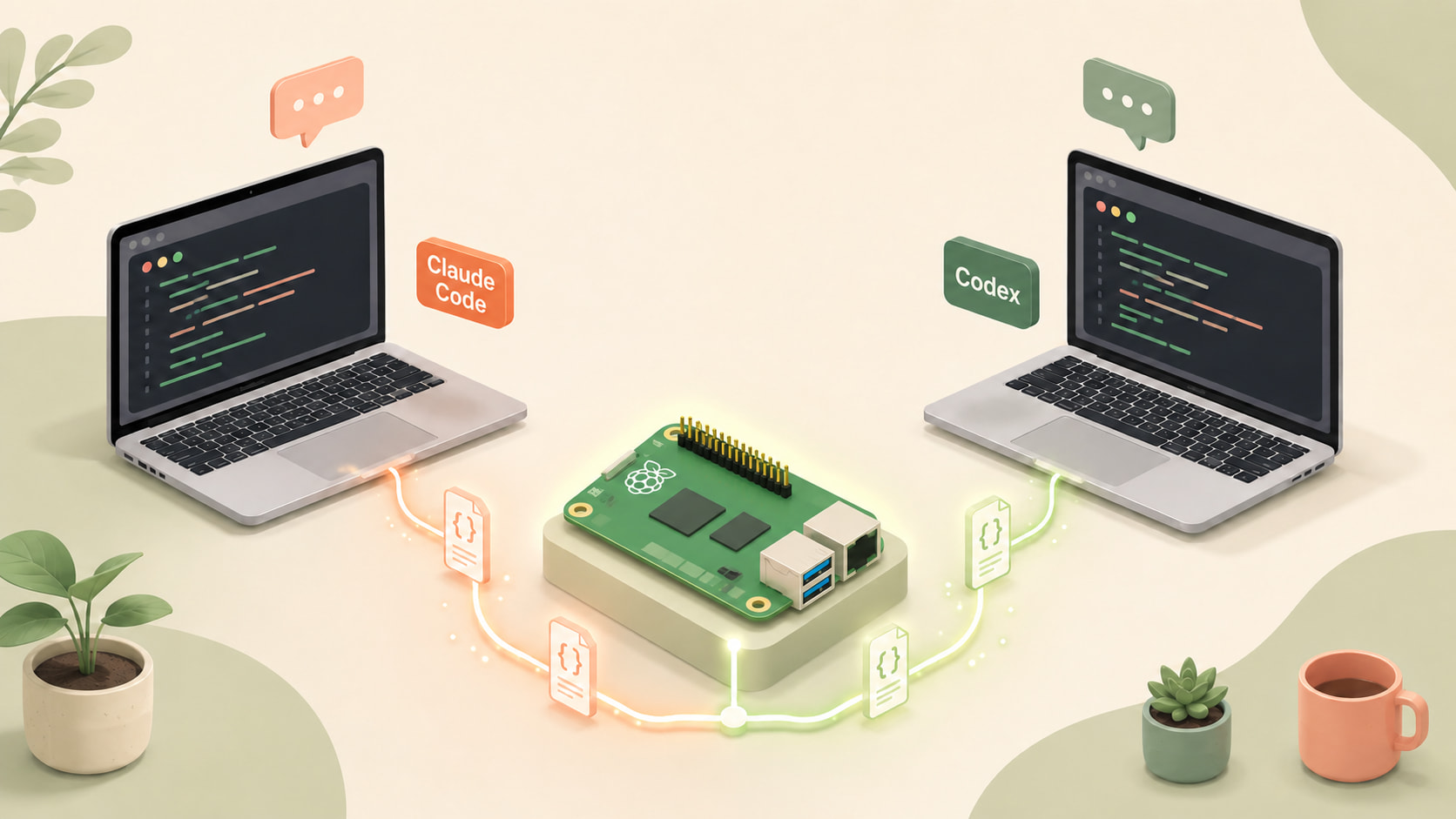
The pain point is straightforward: I have two MacBooks (A and B), and I heavily use both Claude Code and Codex for work and side projects on both machines. I wanted to switch seamlessly between them and resume previous sessions at any time.
Since their actual session data is stored locally as indexable session files (while state is also tracked upstream), as long as the session files on both sides are synchronized, I can resume right where I left off from either computer. Solving the synchronization problem was the first step.
The second annoyance was this: the lists shown by claude --resume and codex --resume only provide about a single line of text per entry. It is practically impossible to guess which session is which or find the exact conversation I want. That was the retrieval problem.
Why Not Just Use Cloud Solutions?
I should acknowledge upfront that fully cloud-based solutions already exist. Claude.ai/code, Cursor’s cloud chat sync, running Claude Code inside GitHub Codespaces, or full-cloud sandboxes like Devin, Replit Agent, Lovable, or v0—these are arguably more streamlined paths.
My personal preferences, however, led me elsewhere:
- I like switching between Claude Code and Codex side by side; cloud options tend to lock you into a single vendor.
- My personal projects rely on local environment details like Docker daemons on my Pi, SSH keys, and
.envrcfiles, which would need to be reconfigured inside cloud sandboxes. - I enjoy homelabbing and solving problems myself.
So this article is primarily written for those who prefer local CLI workflows.
Looking at the Configuration File Structures
Under ~/.claude/projects/, directories are named using encoded working directory paths (cwd). Each directory contains session .jsonl files for that cwd:
1-Users-cheerchen-Documents-CheerChen-session-sync/
2    5a3f8b2c-...jsonl
3    8d1e4f7a-...jsonl
4  -Users-cheerchen-Documents-CheerChen-other-project/
5    1c2d3e4f-...jsonl
Under ~/.codex/sessions/, directories are bucketed by date. Each directory contains session .jsonl files created on that date:
12026/
2    06/
3      19/
4        5a3f8b2c-...jsonl
5        8d1e4f7a-...jsonl
6  2026/
7    06/
8      18/
9        1c2d3e4f-...jsonl
Claude sessions are tied to file paths, whereas Codex sessions are not. Claude sessions are appended to incrementally, while Codex writes sessions in batch. After understanding these structures, I started looking for an effective way to sync them and locate sessions.
Below, I will break this down into two parts: the synchronization layer using Syncthing, and the retrieval layer using a small custom tool called session-index-viewer.
Synchronization Layer Solution
Syncthing synchronizes ~/.claude/projects/ and ~/.codex/sessions/ across the two Macs via a Raspberry Pi (Pi) running at home.
The topology is a star topology: A ↔ Pi ↔ B. Machines A and B are never directly paired.
Why not pair A ↔ B directly?
Considering MacBooks are frequently closed or sleeping, the window where both machines are online at the same time is very narrow. The Pi, on the other hand, is always powered on. Acting as an always-awake relay node, whichever machine (A or B) wakes up syncs with the Pi, while the offline machine’s updates are staged on the Pi. This avoids A and B having to wait on each other.
Pi’s Role in the Topology: Read-Only Relay
Syncthing on the Pi is set to Receive Only—it only receives updates from A and B, and never pushes “local changes” back.
Combined with Staggered File Versioning (retaining versions for 30 days by default), any file deletions or overwrites originating from A or B are archived in .stversions/ on the Pi as backups.
Docker Compose on the Pi
All services on the Pi live under /opt/stacks/<name>/ and are managed by Dockge. Syncthing follows the same structure:
 1# /opt/stacks/syncthing/compose.yaml
 2services:
 3  syncthing:
 4    image: syncthing/syncthing:latest
 5    container_name: syncthing
 6    hostname: pi-relay
 7    restart: unless-stopped
 8    # host mode is required: LAN discovery (21027/udp multicast) and
 9    # direct LAN sync (22000) don't work cleanly through bridge NAT.
10    network_mode: host
11    environment:
12      - PUID=1000
13      - PGID=1000
14      # Pin version via image tag; prevent self-upgrade inside container.
15      - STNOUPGRADE=1
16    volumes:
17      - ./config:/var/syncthing/config
18      - ./data/claude-projects:/var/syncthing/claude-projects
19      - ./data/codex-sessions:/var/syncthing/codex-sessions
network_mode: host is required: Syncthing’s local LAN discovery runs via 21027/udp multicast, and direct sync runs via port 22000.
Once the Pi starts, access the GUI at http://<pi-ip>:8384 and create two folders: claude-projects and codex-sessions. Set both to Receive Only + Staggered Versioning (30 days).
Setting Up Machine A (Same for Machine B)
1brew install syncthing
2brew services start syncthing
Open http://127.0.0.1:8384, add the Pi’s device ID under Remote Devices, and configure both folders as Send & Receive, pointing to ~/.claude/projects and ~/.codex/sessions respectively.
Key Takeaways
- You cannot sync the entire
~/.claude/directory. Only selectprojects/underneath it.
~/.claude/ also contains these directories:
statsig/— SDK state cache, modified every time Claude Code opensshell-snapshots/— generated on every sessiontodos/— internal task state filescache/— self-explanatory
All these directories share the same characteristics: high-frequency small files, machine-local runtime state, and no need to share across machines. Syncing the entire ~/.claude/ folder would overwhelm Syncthing with file noise.
- Path encoding in Claude Code / Codex
The subdirectories under ~/.claude/projects/ encode the absolute path of the current working directory using -:
1~/Documents/CheerChen/session-sync
2  ↓
3-Users-cheerchen-Documents-CheerChen-session-sync
This indicates session storage is partitioned by the “runtime working directory.” Due to this rule, even when synced, opening Claude Code in the same repository on another machine might not show sessions by default unless you switch to the “All” tab.
In my case, the usernames differ across the two Macs—so I accept that “sessions are synced by path, not by project semantics.” I use a separate mechanism to handle cross-machine resumption, which brings us to session-index-viewer.
Codex: files live under ~/.codex/sessions/YYYY/MM/DD/<UUID>.jsonl, bucketed by date with UUID filenames, independent of the current working directory. However, in practice, Codex sessions also store cwd information in the first line of each .jsonl file.
Retrieval Layer Solution
At this point, data synchronization is solved. But the retrieval problem remains.
Anyone with numerous sessions knows that claude --resume provides very little useful information:
 1❯ Complete three tickets and prepare staging masking
 2    2 weeks ago · develop · 676.6KB
 3
 4    commit & push
 5    2 weeks ago · feature/INFRA-999 · 269.4KB · xxx/xxx-masking-platform#93
 6
 7    Review xxx-masking-platform PR #63 feedback
 8    2 weeks ago · feature/INFRA-999 · 819.9KB · xxx/xxx-masking-platform#63
 9
10    Review S3 lifecycle policy changes
11    2 weeks ago · feature/INFRA-999 · 99KB
12
13    ...
Lines like these make it virtually impossible to distinguish a “bug-fixing session” from a “talk slide discussion.”
session-index-viewer is a lightweight utility built specifically for this layer. Repository: https://github.com/CheerChen/session-index-viewer (macOS only, Python standard library, zero external dependencies).
What It Does
- Scans both
~/.claude/projects/and~/.codex/sessions/directories. - Parses each session into a card showing: the first prompt (the first thing you said) + the last reply (the AI’s final answer).
- Offers filters at the top by source (Claude / Codex) and machine.
- Provides a button on each card: clicking it opens a new Terminal window and automatically runs
cd <cwd> && claude --resume <id>(same for Codex).
It is a single-file server.py running an HTTP server from the standard library on local port 127.0.0.1:7333. install.sh uses launchd to register it as a login item, requiring zero ongoing maintenance after setup.
A Few Details
- Machine tags are inferred from the cwd
Each session file records its cwd at the time of creation. The viewer parses the username from /Users/<name>/ or /home/<name>/ in the cwd and displays it on the card as a machine tag.
- Automatic path adaptation during cross-machine resume
This pairs with the path encoding pitfall mentioned earlier. If paths on both machines differ (which they usually do), it automatically adapts the path to match the current machine, ensuring that clicking “Open Terminal” navigates to the correct directory before resuming.
- Session files are the Single Source of Truth (SOT)
The viewer scans the filesystem directly. Treating the filesystem as the sole source of truth eliminates the need to worry about “when to rebuild the index.” Backed by mtime caching, requests respond in milliseconds—more than sufficient for a personal local utility.
Results and Performance
With A + Pi + B all showing Up to Date, syncing a local save across the LAN takes approximately 15–20 seconds (the overhead of FSEvents → hash → push). Current folder sizes:
| Folder | File Count | Size |
|---|---|---|
~/.claude/projects/ |
249 | 106 MB |
~/.codex/sessions/ |
122 | 70 MB |
After installing the viewer locally, visiting http://localhost:7333 opens session-index-viewer. Searching for keywords mentioned in conversations quickly locates the right session, and clicking a card restores it immediately.
Wrapping Up
Reflecting on this implementation, the problem was split into two distinct layers: the synchronization layer and the retrieval layer, solved respectively by Syncthing and session-index-viewer. The core of the sync layer is using the Raspberry Pi as a relay to prevent direct pairing between A and B; the core of the retrieval layer is using the filesystem as the SOT and presenting cards organized by initial prompt and final response.
 Hi, I’m CheerChen.